Planet Fitness Crowd Meter – How to Check How Busy Your Gym Is
I used to pull into the Planet Fitness parking lot and instantly regret my timing. Packed lot, long lines for benches, and every cardio machine taken. The Planet Fitness crowd meter changed all that for me.
Now I open the PF App before I even leave home to decide if I should go now or wait an hour. The tool gives a quick visual snapshot that actually helps me avoid the crowds at Planet Fitness.
Key Highlights
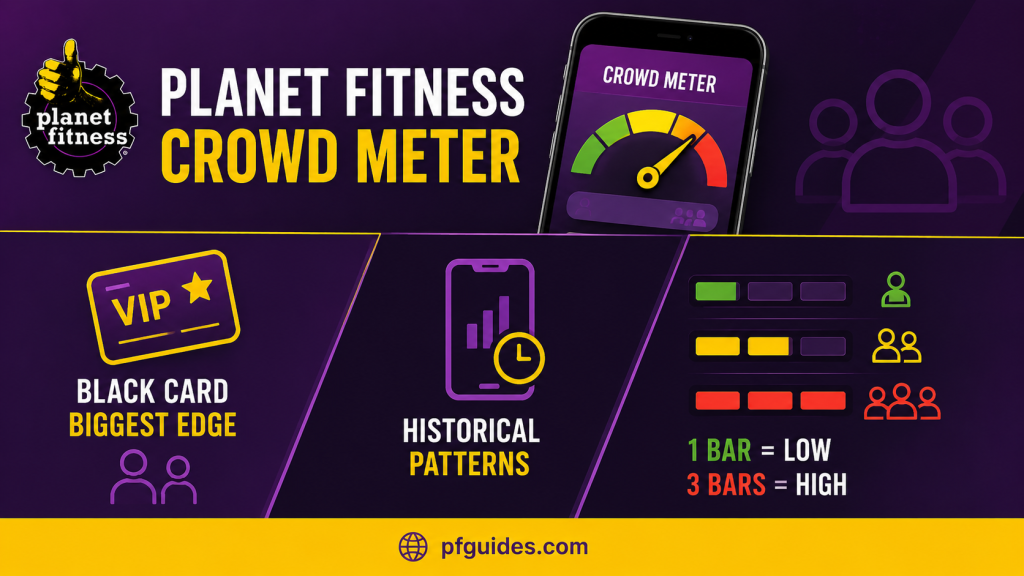
- Black Card members gain the biggest edge by checking it before bringing guests
- The PF App crowd meter uses historical patterns instead of live headcounts
- One bar usually means minimal equipment waits, while three bars signal noticeable lines
Locating the Crowd Meter in PF App
I open the Planet Fitness App and tap the Location tab at the bottom of the home screen. From there I pick my club or any nearby location. The crowd meter sits inside the Club Info section.
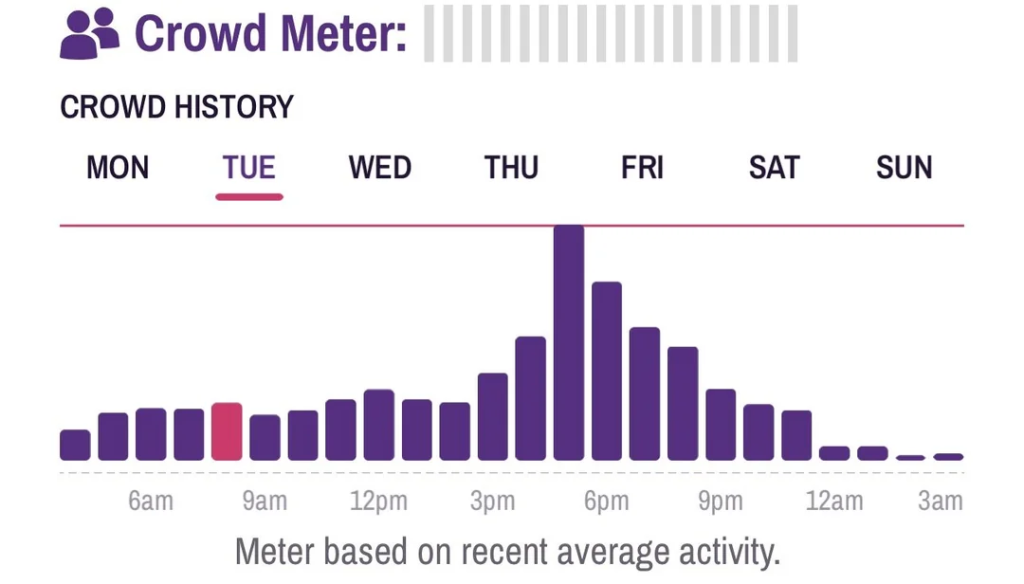
The interface shows a four-bar visual scale, plus a small note that readings come from predictive historical data, not live counts. I pull down on the screen to refresh it, and switching clubs takes just two taps, which often reveals better options nearby.
If the reading looks stale, force-closing the app and reopening it usually pulls fresh data. The tool doesn’t count people in real time, former Planet Fitness GMs have confirmed it relies on past patterns instead of live sensors.
★ Keep the app updated because older versions sometimes hide the meter completely.
Interpreting What the Bars Mean
✦ One bar means low occupancy. Equipment sits open, and I rarely wait more than a minute or two. I treat this as prime time for serious lifts or bringing guests.
✦ Two bars signal moderate crowds, the reading that shows up most often. Most machines stay available, but popular ones like the Smith machines or treadmills might have one person waiting. Two bars usually feel comfortable for most members.
✦ Three bars mean high occupancy, expect noticeable waits of five to ten minutes for peak equipment during busy hours.
✦ Four bars mean very crowded conditions, with multiple stations having lines.
Note
These numbers come from both official descriptions and 2026 user reports. The crowd meter simply shows predicted occupancy and equipment pressure, not exact headcounts.
Evaluating Crowd Meter Accuracy
I read dozens of Reddit and Facebook threads about crowd meter accuracy. Many users complain it stays stuck on two bars for days, while others say it correctly warned them about packed evenings.
Planet Fitness uses a predictive model based on historical data, while Snap Fitness uses a more reactive live system but covers fewer locations.
I get better results, about 70 to 80 percent, when I combine the meter with my own knowledge of local patterns. The meter delivers real value for planning but works best as one data point.
Summer Pass Meter Changes
The 2026 High School Summer Pass runs through August 31 and creates a predictable second rush from 3 to 7 PM on weekdays.
Most clubs jump from two bars to three bars during those hours. I avoid that window completely if I can.
★ Black Card members can use the meter to find outlier clubs that stay at one or two bars even during the teen rush, since the pattern repeats reliably every afternoon.
Stuck Two Bar Reading
If the crowd meter isn’t working, it usually means it’s frozen on two bars. This happens because of historical data bias, the system defaults to an average when it doesn’t have recent info.
I usually fix it by pulling to refresh, switching to another club and back, and checking my internet connection. Force-closing the app clears most glitches, and clearing the cache or reinstalling the PF App solves stubborn cases.
When readings look clearly wrong, I compare multiple nearby locations in the app. Server delays happen most during evening peak times.
Daily Crowd Meter Patterns
Most locations show their lowest readings between 6 and 9 AM and after 8 PM. Weekday afternoons from 4 to 7 PM consistently hit the highest numbers. I plan my schedule around these windows.
Weekends vary more, but mornings still tend to deliver the best one-bar opportunities. The High School Summer Pass pushes afternoon readings higher through August 31, 2026, so I check the meter daily since weather and local events can shift the usual patterns too.
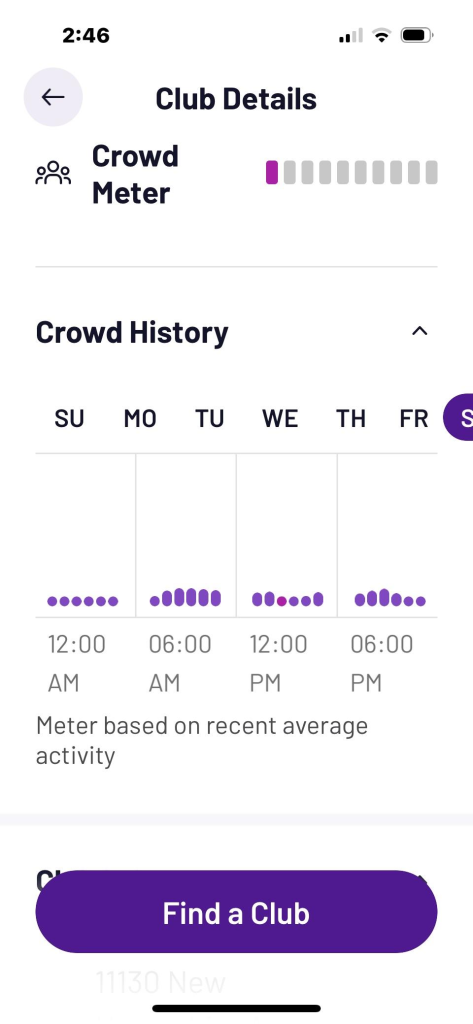
★ These averages help me find consistent one-bar and two-bar windows at my local clubs. I avoid the busiest times by treating the meter kind of like a traffic report, but for weights.
Black Card Meter Timing Tactics
As a Black Card member, I check the meter before bringing guests. One-bar or low two-bar windows protect the experience I want them to have, and the any-club access gives me options Classic members don’t have.
Important
The meter also works well with PF+ Premium workout scheduling. I look for one-bar readings, then reserve machines or classes during those proven quiet periods, this combo means almost no wait times.
Black Card holders get a real advantage by timing visits around meter data. They use it to schedule guest visits, PF+ sessions, and their own training around the quietest predicted windows. The tool works best when you treat it as a planning assistant, not a perfect live counter.
Start using the crowd meter this week. Open the app, find your club, and adjust your schedule based on what you see. Small timing changes lead to much better workouts.