
How to Transfer Your Planet Fitness Membership to Another Location
If you are moving to a new city or heading back to school, your Planet Fitness membership does not automatically follow you. You have to transfer it yourself.
The good news is that if you are eligible, the transfer only takes a few minutes online. But there are rules that can block you if you are not careful.
Key Points
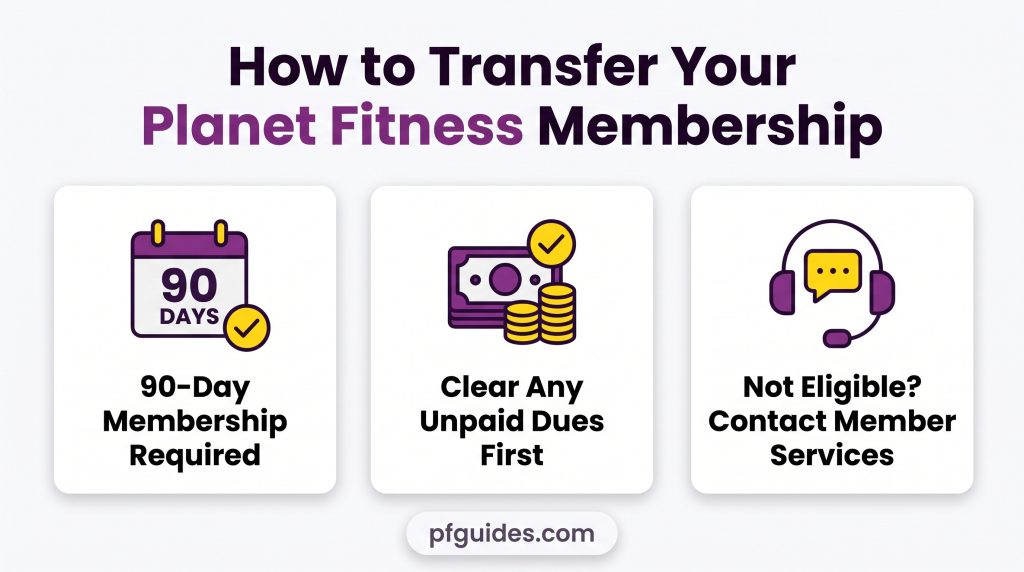
- You need at least 90 days of active membership and cannot transfer more than once every 90 days
- Any unpaid dues or fees will block the transfer. You need to clear those first
- If you are not eligible or need an exception, contact Member Services directly
Eligibility Before Transferring
Before you start the transfer, make sure you meet all five requirements. If even one is not met, the system will reject your request, and you will need to contact Member Services instead.
- You must have been a member for at least 90 days in a row. If you are not there yet, wait until the 90-day mark
- You can only transfer once every 90 days. If you transferred recently, you have to wait until the period is up
- Any unpaid charges or fees will block the transfer. Check your account and clear anything outstanding first
- Members under 18 cannot transfer online. A parent or guardian must contact Member Services directly
- Employer-sponsored or insurance-funded memberships cannot be transferred online and need a different process
Resolve Outstanding Dues
Unpaid charges are the most common reason transfers get blocked. Even a small unpaid amount will stop the process.
✦ Log into your account on the Planet Fitness website
✦ Go to the Billing section
✦ Check for any outstanding charges.
✦ Once you pay, eligibility is usually restored within 1 to 2 hours.
Corporate Memberships
If your membership is funded by an employer or insurance company, you cannot transfer online.
Options for Corporate Membership Transfer
You have two options either contact your HR or benefits department to request a club change or reach out to Planet Fitness Member Services with your corporate account details.
Processing can take 1 to 3 business days depending on your employer.
Transfer Your Membership Online
Once you have confirmed you are eligible, the transfer only takes a few minutes. Follow these four steps:
- Go to PlanetFitness.com and log into your account. If you have two-factor authentication on, verify the code sent to your phone
- Go to Membership or Account Settings and look for a button that says “Change Home Club” or “Transfer Membership”
- Search for your new club location, confirm the address, and check any location-specific details
- Review the summary showing your current club, new club, and effective date, then click Confirm Transfer. You will get an email confirmation within minutes
Your transfer is effective immediately and you can visit your new club the same day. Your billing continues automatically with no changes needed.
Transfer Through the Planet Fitness App
You can also transfer through the Planet Fitness mobile app.
✦ Open the app
✦ Tap Account
✦ Then Membership
✦ Then Change Club.
✦ Search for your new location and confirm.
✦ The process is the same as the website.
If you run into issues on the app, switch to the website instead and complete the transfer there. The website portal is always available as a backup. Both methods produce the same result.

Upgrade or Downgrade During Transfer
Your current membership tier carries over automatically when you transfer. But you can also upgrade or downgrade at the same time if you want to.
Classic Membership
- Classic membership at $15 a month gives you access to your home club only
Black Card Membership
- Black Card membership at $24.99 a month gives you access to any Planet Fitness location, one guest per visit, massage chairs, tanning, hydromassage, and unlimited fitness training
If you are moving to a new city and think you will travel often, upgrading to Black Card during the transfer makes sense. The option shows up in Step 3 of the transfer process.
If it is not available during the transfer, you can change your tier right after the transfer is complete. Any promotional pricing you have carries over either way.
Frozen Memberships, Guests & Promotional Rates
If your membership is currently frozen (paused for travel, injury, or hardship), you must reactivate it before transferring.
Frozen memberships cannot transfer online. Contact Member Services or log into My Account to unfreeze, then proceed with the transfer.
Guest privileges (Black Card feature) transfer automatically to your new location. Promotional pricing you’re currently receiving also carries over, no reset. Your membership benefits stay intact.
Troubleshoot Failed Transfers
If your transfer fails, one of these is likely the reason:
- “You are not eligible to transfer at this time” means you do not meet one of the five eligibility requirements. Check if you have been a member for 90 days or if you transferred within the last 90 days. Wait until you are eligible and try again
- “Outstanding dues on your account” means you have unpaid charges. Log into your account, go to Billing, and pay them. Try again after 1 to 2 hours
- “Selected location is not available” means the club may be temporarily closed or your membership does not cover that location. Pick a different club or upgrade to Black Card for access to any location
- “Transfer failed, please try again” is usually a temporary system issue. Wait 5 to 10 minutes, clear your browser cache, and try again
Contact Member Services
If the transfer still fails after troubleshooting, contact Planet Fitness Member Services. They can process manual transfers and handle exceptions. Have your account email, membership number, and new club location ready. Manual transfers usually take 1 to 3 business days.

Transfer vs. Cancel & Rejoin
Before you transfer, it is worth checking if canceling and rejoining as a new member could save you money. New member promotions sometimes offer a lower rate than what you are currently paying.
Example
Here is a simple example. If you are paying $15 a month and transfer, you pay $180 for the year. If a new member promotion offers $10 a month for three months and $15 after, you end up paying $315 for the year. In this case, transferring saves you $135.
But if your current rate is high and a new member promotion is much lower, canceling and rejoining could work out cheaper. Run the numbers before you decide.
★ Remember that if you cancel and rejoin, you lose any promotional pricing or membership benefits you currently have. And if you transferred within the last 90 days and are blocked from transferring again, canceling and rejoining is a way to get around the wait.
International Transfers
Planet Fitness operates in the United States, Canada, Mexico, Australia, Spain, and Panama.
Transfers only work within the same country. You cannot transfer from a US club to a Canadian club, for example.
If you are moving to another country, contact Member Services at least 30 days before your move. They can tell you if your membership can transfer within that country or if you need to cancel and rejoin. Requirements vary depending on the location.